Argo CD Logs Prettifier
Argo CD is where I end up looking at pod logs most of the time, and most of those logs are one JSON object per line. The Logs tab shows them as plain text, so finding the one error in a stream of .NET, pino and Dapr lines means scrolling and squinting. This extension reads the lines Argo already rendered and shows them as a table instead: time, level, logger, message and the extra fields, with filters on top. Nothing leaves the browser.
Try it interactive
This is a copy of an Argo CD Logs tab with a live stream of synthetic logs in the same formats I deal with at work (ASP.NET JSON, pino, Dapr logfmt and a few raw lines). The { } JSON button is the one the extension adds to Argo’s toolbar. Press it, then filter by text or by level, and click a row to see the whole record.
What it does
The extension works on top of the page Argo CD already shows. It does not call the Argo API and it does not need a token: it parses the text of each rendered line and swaps the plain view for a structured one, keeping Argo’s own controls (container selector, follow, tail, since, filter, dark mode) untouched.
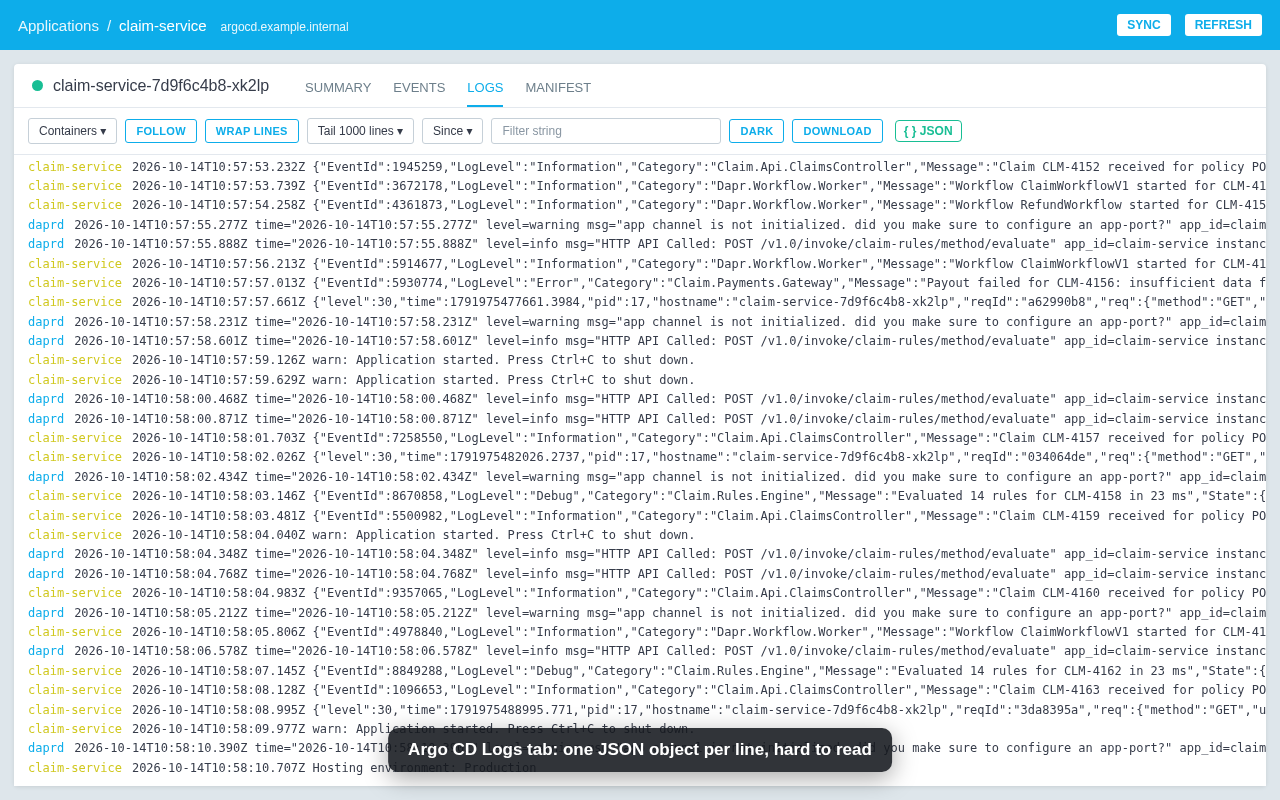
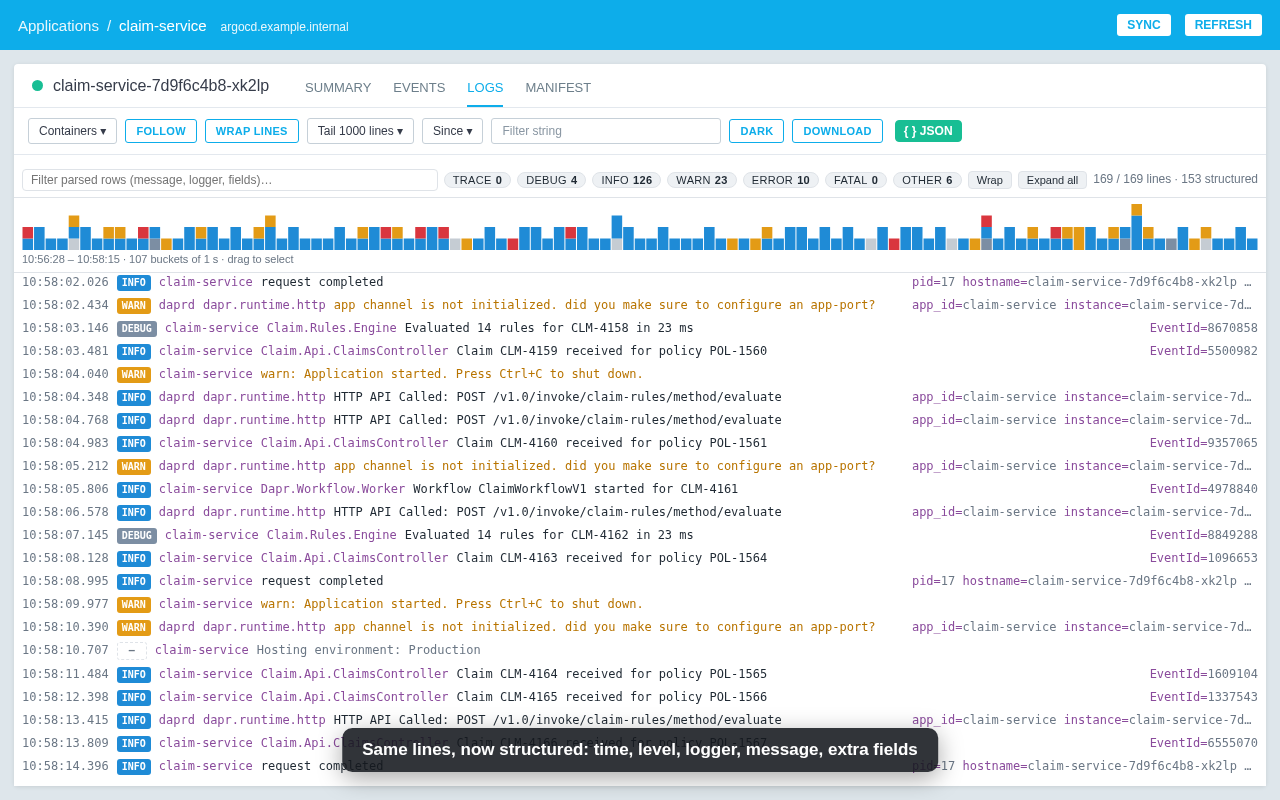
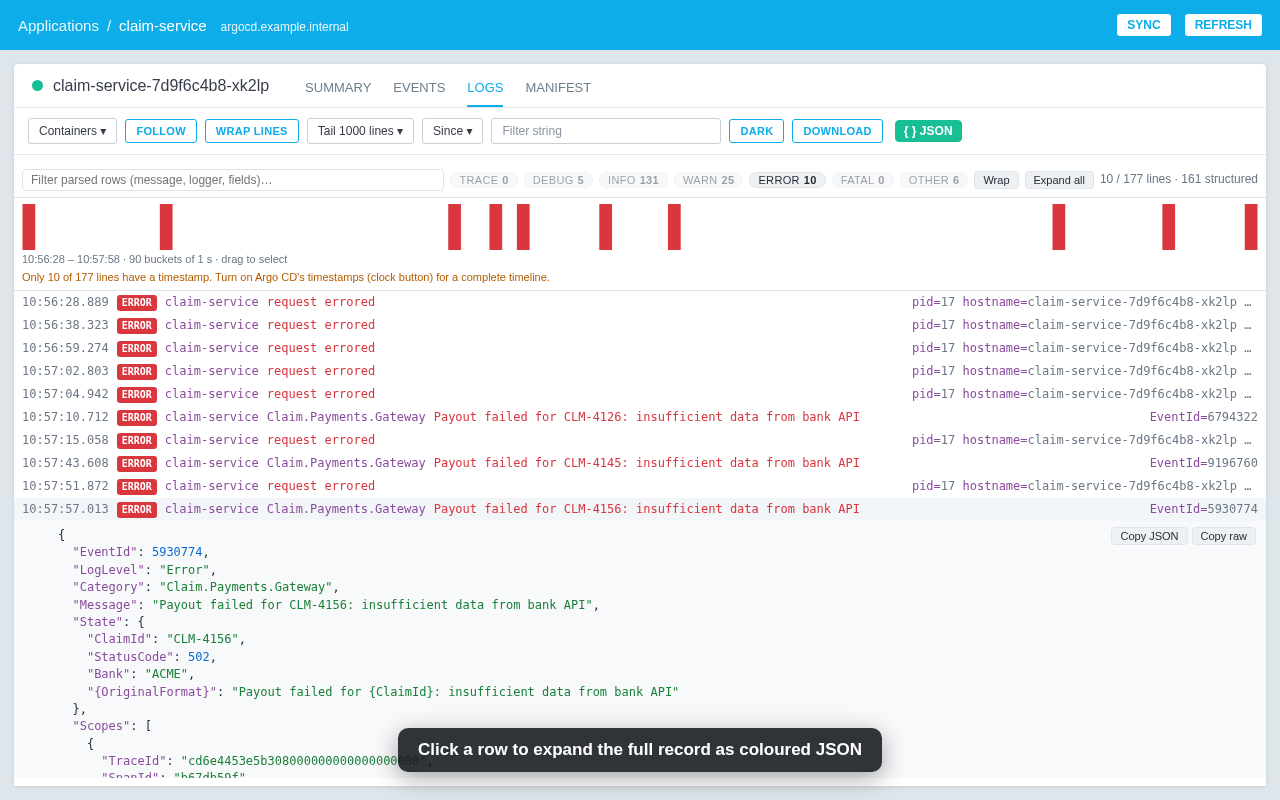
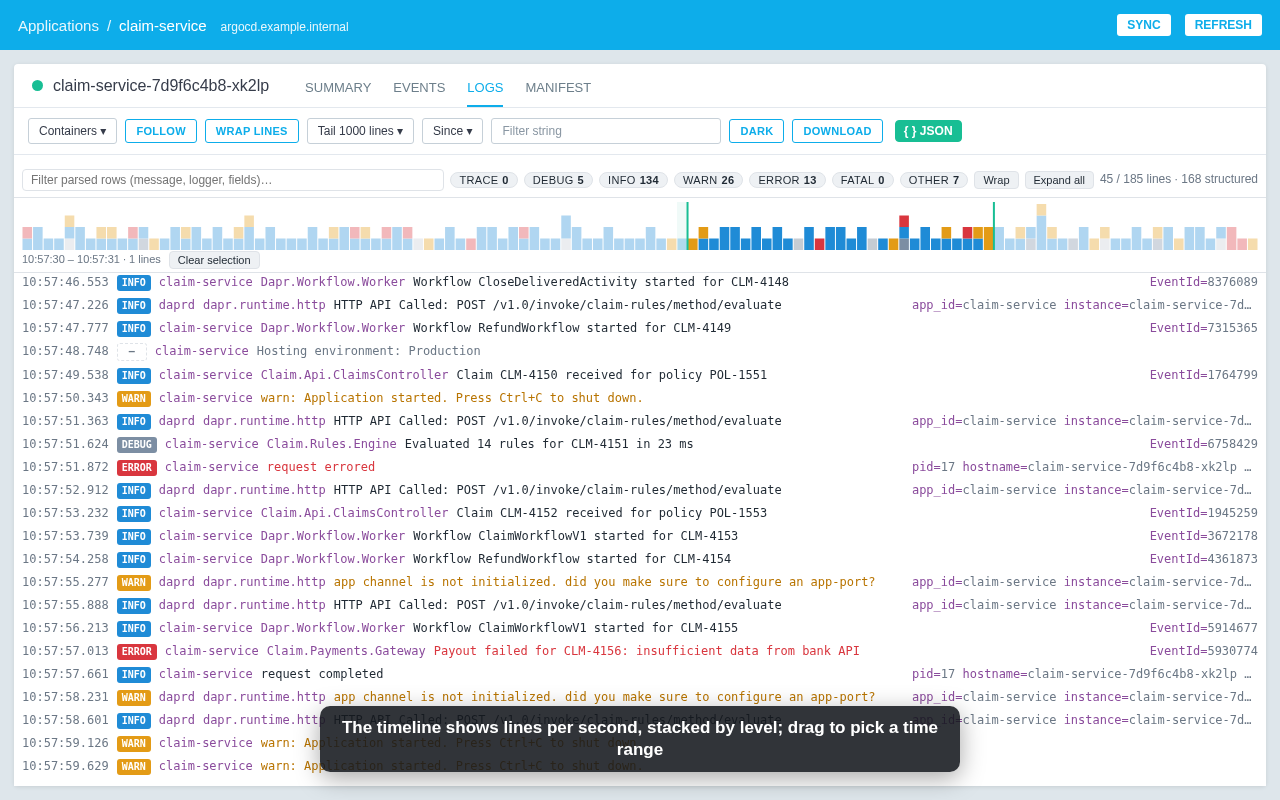
- Formats: JSON (.NET
LogLevel/Category, pino numeric levels, Serilog, genericlevel/msg), logfmt (Dapr, Go), and raw text with a best-effort level guess. - Filters: free text over message, logger and fields; level chips with counts (click toggles, Ctrl-click solos); a time range selected on the timeline.
- Rows: expand one record as coloured JSON, copy it as JSON or as the original line, expand or collapse all, wrap long lines.
- Live: follow mode keeps working while Argo streams; lines are keyed by content so expanded rows stay open when the tail rolls.
- Dark mode: follows Argo’s own dark toggle.
How it works
Argo renders each log line as a div.noscroll inside .pod-logs-viewer, with the pod name in the first child and the text in the last one. A content script watches that container with a MutationObserver, parses every new line and keeps a record per line. Only the last few hundred visible rows are mounted in the DOM, because laying out 10k rows is what made the first version crawl on busy pods.
The parser is the interesting part and it is the same file running in the demo above (parser.js). It strips Argo’s timestamp prefix, tries JSON.parse on the first {...} it finds, falls back to logfmt, and otherwise returns a raw record. Level names are normalised (Information, warning, 30, CRITICAL…) into six buckets so the chips and the timeline work across libraries that disagree on naming.
The extension asks for no host permission up front. The first time it runs on an Argo CD host it requests access to that origin only, through the optional_host_permissions API, so it stays dormant everywhere else.